
Usability, or user-friendliness, is a decisive factor in the success of any software.
Usability, or user-friendliness, is a decisive factor in the success of any software. In a world where the range of choices is vast and users’ patience is limited, an intuitive interface can determine whether an application is embraced or rejected.
Loading Times
If the application takes too long to load or finding an input field is too complex, users quickly lose interest and turn to other options.
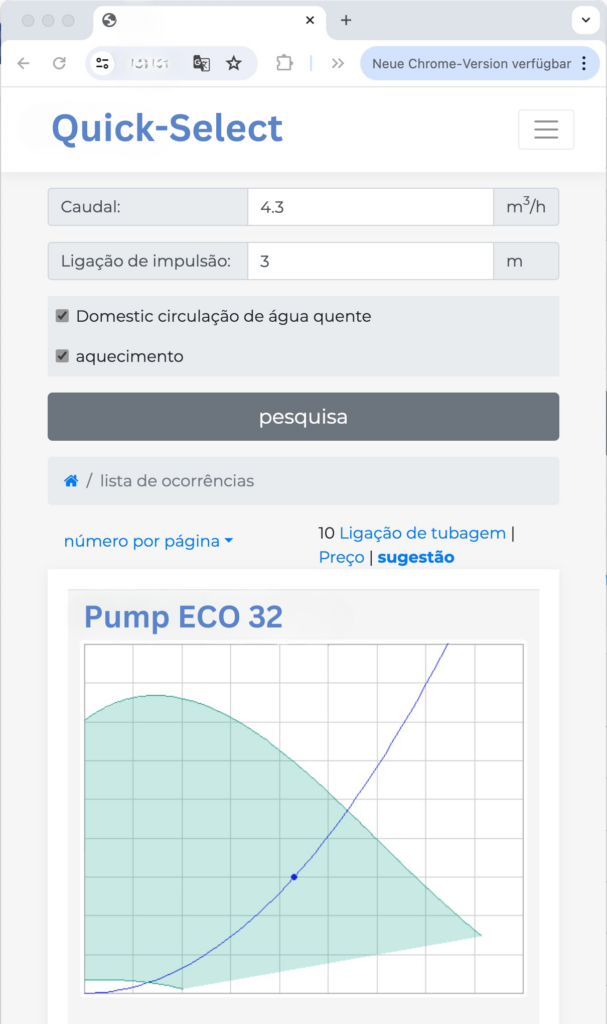
Input fields are a fundamental part of any software’s user interface and play a crucial role in the interaction between user and application.
A well-thought-out design of these components can significantly contribute to overall usability and thus positively influence the user experience.
Here are some important aspects to consider when designing input fields:
Clarity and Simplicity
Input fields should be clear and unambiguous. Labels or placeholder texts must clearly convey what kind of information the user is expected to enter. Complex or ambiguous instructions can lead to confusion and impair the efficiency of user interaction.
Grouping and Logical Arrangement
The arrangement of input fields should be logical and intuitive. Similar or related information should be grouped together to help users navigate efficiently through forms. A well-considered sequence can also speed up data entry and reduce errors.
Error Management and Validation
Input fields should include mechanisms that allow input errors to be detected and corrected immediately. Visual feedback, such as red borders or explanatory tooltips for incorrect entries, helps users understand and quickly fix mistakes. Immediate data validation ensures that issues are resolved before the user submits the form.
Adaptability and Responsiveness
In an era where users frequently access software from various devices and screen sizes, input fields must be responsive and flexible. They should automatically adapt to the display size to ensure optimal readability and usability.
Accessibility
Input fields must be accessible to all users, including those with disabilities. This includes support for screen readers, the use of sufficient contrast ratios, and easy keyboard navigation.
By taking these factors into account, developers can ensure that their applications are not only functional but also user-friendly, ultimately increasing the satisfaction and efficiency of end users.
You can find more about UI in my personal blog article on UI.
For us, usability comes first to guarantee you a smooth onboarding and top performance.
Ready to see these benefits in action? Schedule a demo now and experience for yourself how our solutions can simplify your daily workflows.